The short answer
A useful kids ATV wholesale catalog organizes products by customer application and range role, assigns stable model codes, shows controlled dimensions and electrical specifications, explains options without mixing incompatible configurations, includes carton and assembly data, identifies evidence and service readiness, dates every revision, and tells buyers what market, quantity, channel, customization, and schedule information to send for a comparable quotation.
A catalog should help a buyer narrow decisions. Many supplier catalogs instead combine ideal photographs, rounded specifications, unavailable options, and old packaging data. They create more clarification rather than less.
For a manufacturer, the catalog is a controlled commercial view of the product database—not the database itself. Buyers still need model-specific specifications and quotations before order.
1. Organize the catalog around buyer applications
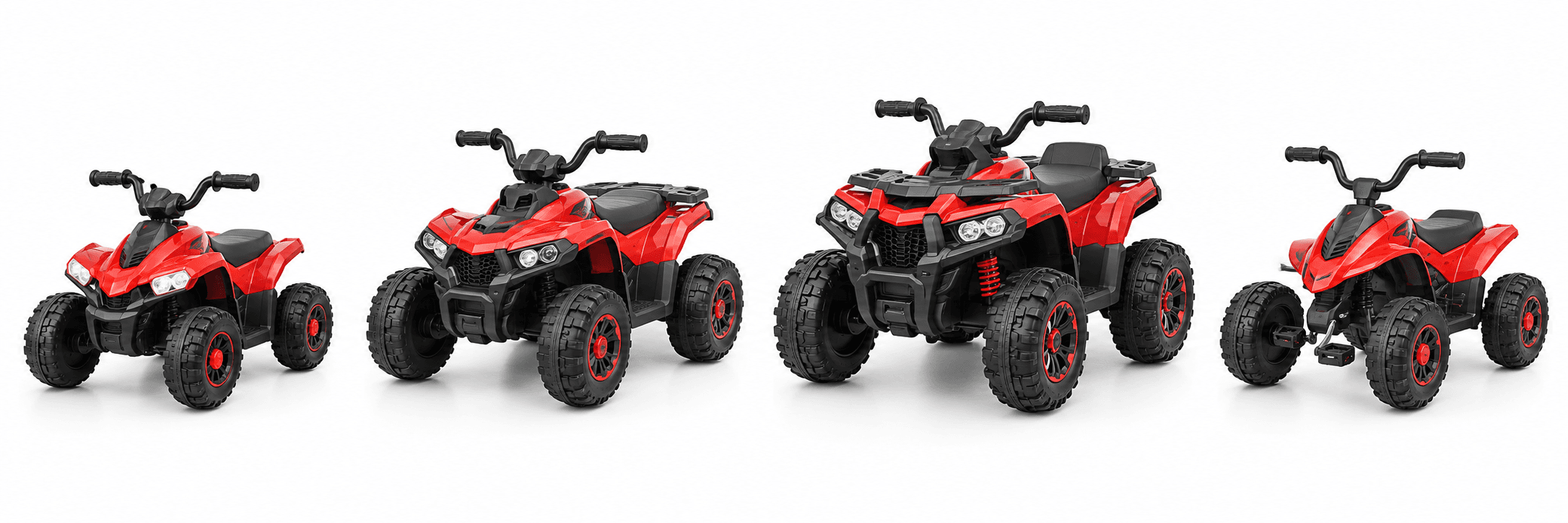
Group products by meaningful roles such as compact entry electric, core 12V platform, premium larger platform, pedal quad, retailer format, e-commerce pack, or OEM base. Explain intended channel and application without making unsupported age, terrain, or performance claims.
Use filters and comparison tables for voltage, battery, motor layout, wheels, controls, dimensions, load target, carton, and customization level. Avoid a page for every cosmetic color if the underlying product is the same; show color as a controlled variant.
What to confirm before approval
- Define a clear range architecture.
- Use decision-relevant comparison fields.
- Separate platforms from cosmetic variants.
2. Use stable model identity and controlled specifications
Assign model code, marketing name, version or effective date, and primary photograph to each platform. State units and distinguish product dimensions from packed dimensions, nominal values from tested ranges, and standard features from options.
Mark specifications that require confirmation for the exact market or order. Never fill gaps with “approximately” unless the tolerance and source are understood. Link catalog values to the product master so changes trigger review.
What to confirm before approval
- Use stable model and revision identity.
- Define units and measurement basis.
- Link values to controlled product data.
3. Present options as compatible decision paths
Show base configuration first, then colors, graphics, battery and charger systems, wheels, motors, controls, lights or sound, manuals, labels, packaging, and accessories that are genuinely available for that platform. Identify dependencies and minimums.
Do not imply buyers can combine every option. A lithium battery, wheel change, remote controller, or larger motor can affect wiring, evidence, performance, packaging, price, MOQ, and lead time. Direct complex requests to engineering and compliance review.
What to confirm before approval
- Define one standard base.
- Show option dependencies and restrictions.
- Route technical changes through formal review.
4. Include the data needed before price discussion
Explain typical MOQ structure, color or component minimums, sample purpose, customization levels, lead-time dependencies, trade-term assumptions, and information required for a quote without publishing unstable promises. Price should correspond to quantity, configuration, packaging, destination, and services.
Give buyers an RFQ checklist: country, channel, intended user and surface, target quantity by variant, required functions, brand scope, packaging, evidence, inspection, delivery point, and schedule. This turns catalog interest into comparable inquiries.
What to confirm before approval
- Explain MOQ and lead-time drivers.
- Keep price assumptions visible.
- Provide a structured RFQ handoff.
5. Show packaging, evidence, and service readiness
Include final-assembly level, carton dimensions and gross weight from the current pack, container estimate basis, included charger and accessories, manual languages, barcode options, and packaging channel. Mark estimates clearly until production pack-out is approved.
Summarize available documentation types without claiming universal certification. Show spare-parts categories, warranty discussion points, and service-document availability. A strong catalog helps buyers ask for the exact supporting file.
What to confirm before approval
- Publish current pack-out data and status.
- Describe evidence by type and scope.
- Show service and parts capability.
6. Date, localize, and retire catalog revisions
Place issue date or revision on every digital and printed catalog. Maintain language and currency versions from one controlled source. Archive superseded versions and tell sales teams when specifications, images, or products have changed.
Track which leads received which catalog when material decisions depend on it. Update website product pages, retailer files, quotations, and AI-readable summaries with the same approved information. Remove discontinued products or clearly state support status.
What to confirm before approval
- Show catalog revision and date.
- Control translations and channel copies.
- Retire obsolete data and preserve traceability.
7. Worked example: apply the decision to a real order
The following scenario is illustrative. It explains a decision method rather than reporting a CubRover customer project, measured test result, certification, or completed shipment.
A buyer chooses a quad from a PDF showing dual motors, EVA-style wheels, remote control, and a small carton. The quote uses standard plastic wheels and a newer larger pack-out because the catalog combined optional and old data.
The supplier restructures the page into a standard base, compatible options, current carton revision, and an RFQ link. The buyer can now compare the requested configuration with another offer.
This example illustrates catalog governance, not an actual CubRover quotation or performance promise.
| Layer | Buyer question | Catalog output |
|---|---|---|
| Range | Which platform fits? | Application and comparison |
| Product | What exactly is standard? | Controlled model specification |
| Program | What can be customized? | Options and dependencies |
| Handoff | What is needed for a quote? | RFQ and evidence checklist |
Questions to include in the buyer decision brief
Convert the review into questions that the supplier can answer against one named model and order. The following prompts come from the topic-specific approval checks above. They are intentionally practical: each answer should identify the responsible party, supporting record, open condition, and date by which the buyer can make the next decision.
- Organize the catalog around buyer applications: Define a clear range architecture. Use decision-relevant comparison fields. Separate platforms from cosmetic variants.
- Use stable model identity and controlled specifications: Use stable model and revision identity. Define units and measurement basis. Link values to controlled product data.
- Present options as compatible decision paths: Define one standard base. Show option dependencies and restrictions. Route technical changes through formal review.
- Include the data needed before price discussion: Explain MOQ and lead-time drivers. Keep price assumptions visible. Provide a structured RFQ handoff.
- Show packaging, evidence, and service readiness: Publish current pack-out data and status. Describe evidence by type and scope. Show service and parts capability.
- Date, localize, and retire catalog revisions: Show catalog revision and date. Control translations and channel copies. Retire obsolete data and preserve traceability.

8. Turn the review into a controlled implementation plan
A useful buyer decision has three outputs: an approved requirement, evidence supporting that requirement, and a named person who can release the next activity. Keep these connected by model, configuration, market, document revision, and effective production date. If a supplier gives a conditional answer, preserve the condition in the purchasing record rather than shortening it into an unconditional product claim.
Create the catalog from controlled product records and assign owners for technical data, images, commercial assumptions, packaging, evidence, service, translation, and web publication. Use an issue checklist and block release when standard and optional configurations are mixed.
- Define range architecture and buyer journeys.
- Approve model identity and source specifications.
- Separate standard, option, and custom-review items.
- Add commercial, packaging, evidence, and service handoff.
- Issue, distribute, and retire revisions.
Agree evidence and acceptance before work starts
Write the review method before the sample, factory testing, document check, shipment inspection, or service exercise takes place. Specify the reference, sample selection, conditions, tools, result format, acceptance boundary, and response to a failure. This makes two quotations or results comparable and prevents teams from negotiating the meaning of a pass after money and time have already been spent.
Keep a compact, traceable decision file
Retain the original requirement, dated supplier response, model and component identity, relevant photographs, calculations, reports, deviations, approvals, and release decision. A screenshot can help communication, but retain the underlying record when it matters to the decision. Distinguish a proposed target from a measured value, an engineering sample from a production reference, and an internal check from a third-party assessment.
Use one current revision where possible. Purchasing, engineering, compliance, quality, logistics, sales, and service may need different views of the information, but they should not be making decisions from different versions of the product. When a change is approved, state the first affected batch and what happens to old materials, inventory, artwork, service parts, customer instructions, and pending shipments.
Review cost and timing together with product application
The lowest visible unit price may shift cost into testing, rework, freight, storage, retail setup, support, returns, or obsolete parts. Compare the complete customer requirement and the cost of supplying it consistently. Where a number is uncertain, show the assumption and a reasonable scenario range. Do not turn an illustrative calculation into a supplier promise or a universal benchmark for the category.
Reserve time for unresolved items. A sample modification may require another review; a component change may affect evidence; a carton revision may alter loading; a late document can affect handoff. Put the owner and decision date beside each open item. A useful schedule makes these dependencies visible instead of reporting one finish date that assumes every preceding decision will happen immediately.
Close the loop after delivery
After the first shipment or implementation, compare the approved assumptions with arrival condition, assembly preparation, actual costs, receiving accuracy, customer questions, service cases, and repeat-order results. Separate an isolated event from a recurring pattern using model, batch, channel, and time in use. When a discrepancy appears, contain the affected scope, identify the cause, implement the correction, and verify the next relevant outcome.
Primary resources for the specific source facts and frameworks discussed in this guide: CPSC toy-safety business guidance.
Continue the related CubRover buyer workflow: product-specification guide; RFQ template guide; CubRover product platforms.
9. Conclusion and buyer handoff
A professional wholesale catalog shortens the path from browsing to a controlled RFQ. Build it from stable model identity, accurate specifications, compatible options, visible assumptions, packaging, evidence, service, and disciplined revision control.
Before requesting a quote, share the destination market, selected product platform, target quantity, required configuration, channel, timing, and the decision you need the supplier to support. Attach the current requirement and identify open questions. This gives the factory a clear starting point for discussing samples, evidence, inspection, documents, packaging, and commercial responsibilities.
Frequently asked questions
Should a catalog show wholesale prices?
Only when quantity, configuration, packaging, terms, validity, and exclusions are clear; otherwise use a structured quotation.
Can all catalog options be combined?
Not necessarily. Show dependencies and send complex combinations for technical and compliance review.
How often should the catalog be updated?
Whenever material product, packaging, commercial, legal, image, or availability information changes.
What carton data belongs in a catalog?
Current production-intent dimensions, weight, assembly level, status, and units, with estimates clearly marked.
Can certificates be shown in the catalog?
Describe documentation types carefully; provide scoped evidence for the exact model through controlled review.
What should a buyer send with a catalog inquiry?
Market, channel, application, quantity by variant, configuration, branding, packaging, evidence, terms, and schedule.
Turn catalog interest into a comparable quote
Email your buyer brief to info@CubRover.com.
Get a Quote